Fx Goal Binary - Binary Control Center

FX GOAL BINARY — turn MetaTrader 5 into the charting + strategy engine for your Quotex account. One Windows app, everything runs locally on your PC.
Watch
FX GOAL BINARY mirrors every open Quotex pair — OTC included — into MT5 as live custom symbols (Custom → FXGOAL), so the candles you analyze are the broker's own candles, same moves. Run the SuperTrend crossover strategy EA on those charts the app receives each signal and places the trade on your Quotex account under YOUR risk limits.
WHAT'S INSIDE
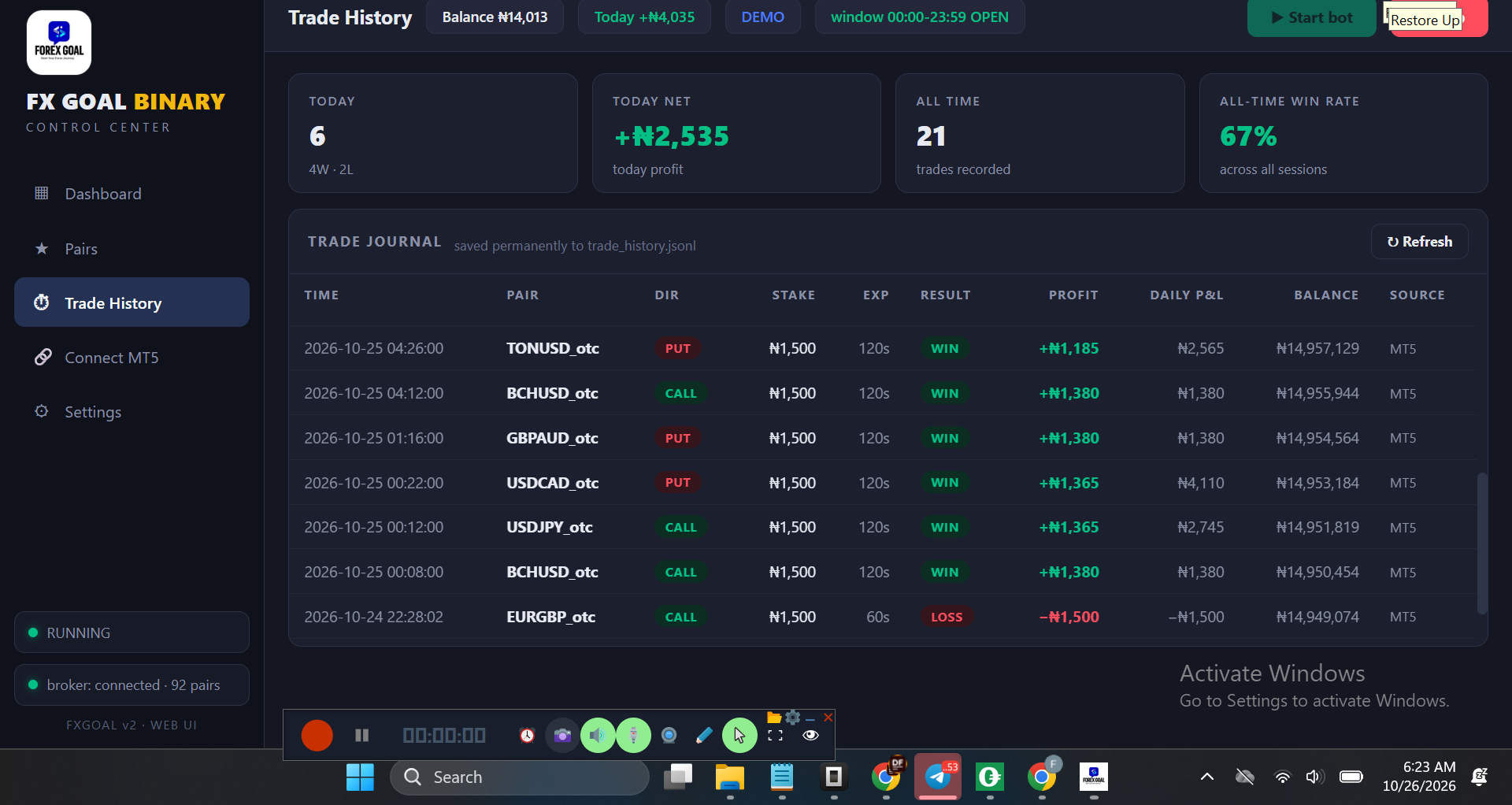
• Desktop control center — dark dashboard with NGN (₦) balance, daily P&L, martingale step, payout/OTC pairs page, trade history, live console
• All Quotex pairs in MT5 — OTC included, mirrored live, filtered to pairs open and paying ≥ your payout floor
• Strategy EA — SuperTrend crossover (period 10, multiplier 3.0) with optional Volume + RSI filters, BUY/SELL and VOID markers on the chart
• One trade per crossover — fires on the first tick of the new candle after the crossover candle closes; never double-fires
• 1H multi-timeframe protection — bullish 1H = BUY only, bearish 1H = SELL only; counter-trend signals are permanently VOIDed, never placed
• Money management — base stake, min/max clamping, martingale recovery (multiplier + max steps, resets on a win)
• Payout gate — signals below your minimum payout % are skipped (default 90%)
• Daily profit target + daily max loss — the bot stops itself when either limit is hit
• Trading window + authoritative trade expiration set in the app (not in the EA)
• Telegram alerts — entries and results, with a test button
• Signal key — only your EA can trade through your app (QOTC by default)
• Connect your own bots — signed local HTTP endpoint for Python/Node/EAs/TradingView webhooks (docs included)
• Demo first — environment is DEMO by default; switch to live only when you are ready.
HOW IT WORKS (5 steps)
1. Install FXGoalBinary Setup — it installs the app and drops both EAs into MQL5\Experts
2. Log in to Quotex inside the app browser token capture — press Start
3. In MT5: Tools → Options → Expert Advisors → allow WebRequest for http://127.0.0.1:8700 and http://127.0.0.1:8700/signal → restart MT5
4. Drag FXGoalBinaryFeed onto one chart → Market Watch → Custom → FXGOAL fills with live Quotex pairs
5. Open a pair e.g. BTCUSD_otc on M1 → attach FXGoalBinary → set SignalKey = QOTC → Algo Trading ON
REQUIREMENTS: Windows 10/11 · MetaTrader 5 free · a Quotex account demo is fine
⬇ MetaTrader 5 for Windows: https://download.mql5.com/cdn/web/13713/mt...
⬇ MetaTrader 5 for macOS / iOS: https://download.mql5.com/cdn/web/metaquot...
iOS: get MetaTrader 5 from the App Store and log in with the same broker account
CHAPTERS
00:00 Intro — MT5 charts meet Quotex
01:00 Why OTC pairs need real charts
02:30 Install + demo login
06:00 Connect MT5 WebRequest + Feed EA
10:00 SuperTrend EA + 1H trend filter
14:00 Risk controls target / loss limit / martingale / payout gate
17:30 Live trade, start to finish
21:00 Connect your own bot
23:00 Setup links + support
SUPPORT
Telegram channel: https://t.me/forexgoalss
Telegram support bot: https://t.me/ForexGoaln
Email: [email protected]